

Do you need more security for your service desk? Set a password policy within Znuny to ensure your users keep their passwords safe and up to date.
Today, I'd like to highlight the community add-on, Znuny-PasswordPolicy. This feature has been around since the times of ((OTRS)) Community Edition. It enables the administrator to ensure that local and customer users comply with organizational password policies. Here are some reasons you may want to enforce a password policy for your local users.
Why
-
Prevent data breaches: A password policy helps safeguard your business' data and customer details by ensuring that users use strong passwords. Helping them to create difficult-to-guess passwords by giving them the requirements also helps. Hard-to-guess passwords make it harder for unauthorized users to access sensitive information.
-
Maintain order: A password policy is meant for everyone using your network, regardless of their status. In some smaller systems not connected to an IDP or directory server, it's also important that the corporate policy applies. This ensures that all users follow the same guidelines when creating passwords, which helps maintain order and consistency.
-
Build trust: Many online users are wary of entering their personal information on websites due to fear of cyberattacks. By implementing a password policy, the software gives not only the administrator but also your agents and users a sense of trust.
-
Cultivate a cybersecurity culture: By prioritizing security, you can encourage employees to be more vigilant. Password policies can help you cultivate a culture of cybersecurity within your organization.
It's easy to integrate this add-on into a currently running installation.
What
What can the add-on do?
- Enforce a password renewal
- Prevent reusing a password
- Disable account after invalid login attempts.
- Set a minimum length.
- Optionally require
- at least two lower- and two uppercase letters.
- at least two letters.
- at least one digit in a password. - Individually configure the policy for
- Agents
- Customer Users - Individually required for
- Agents
- Customer Users
Where
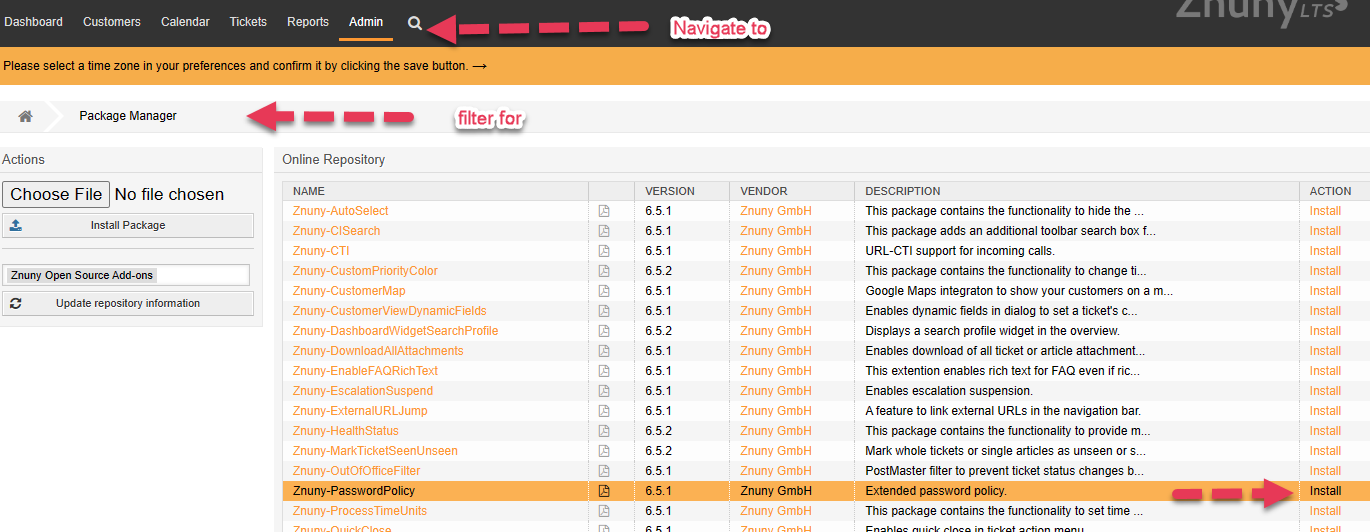
To use this add-on, you need to install it from the package manager from the Znuny Open Source Add-On online repository.
Configure
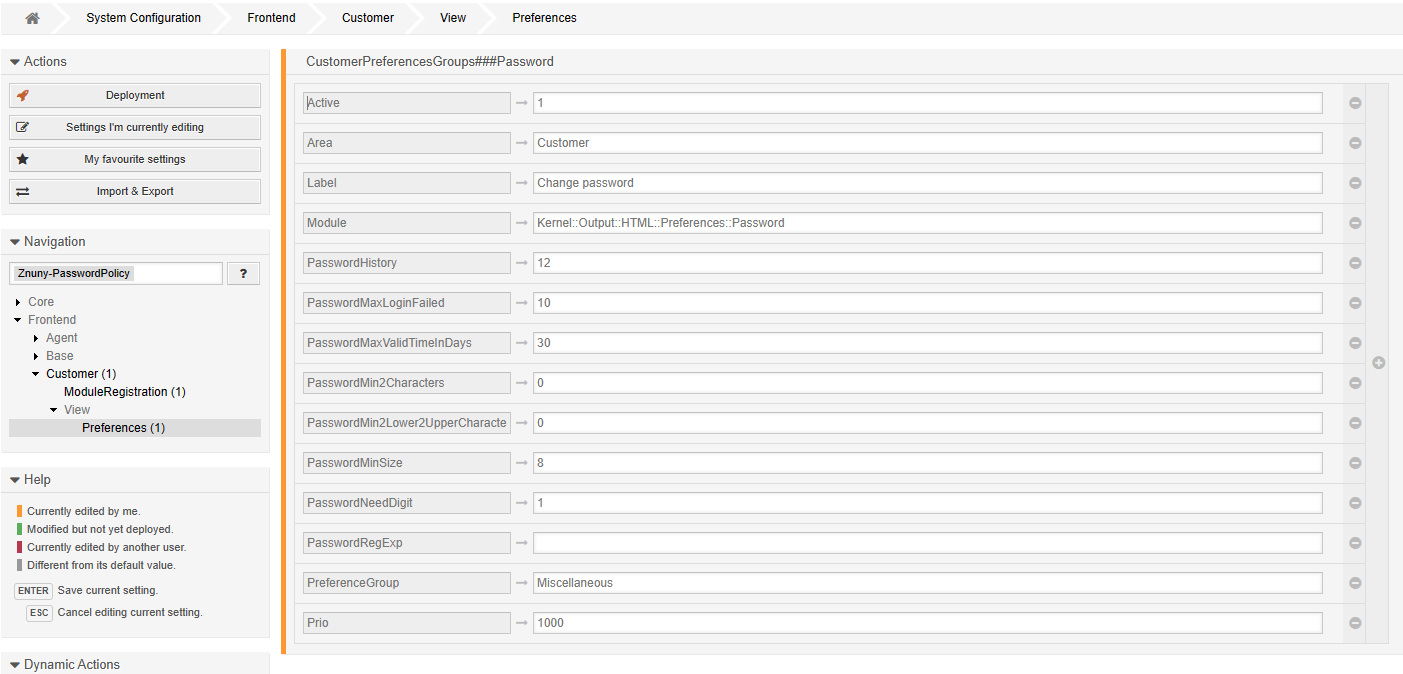
Once installed and configured, the software will automatically be active for agents and customers alike. Anyone currently logged into the system will remain logged in until their next login attempt. Then, they will be required to change their password.
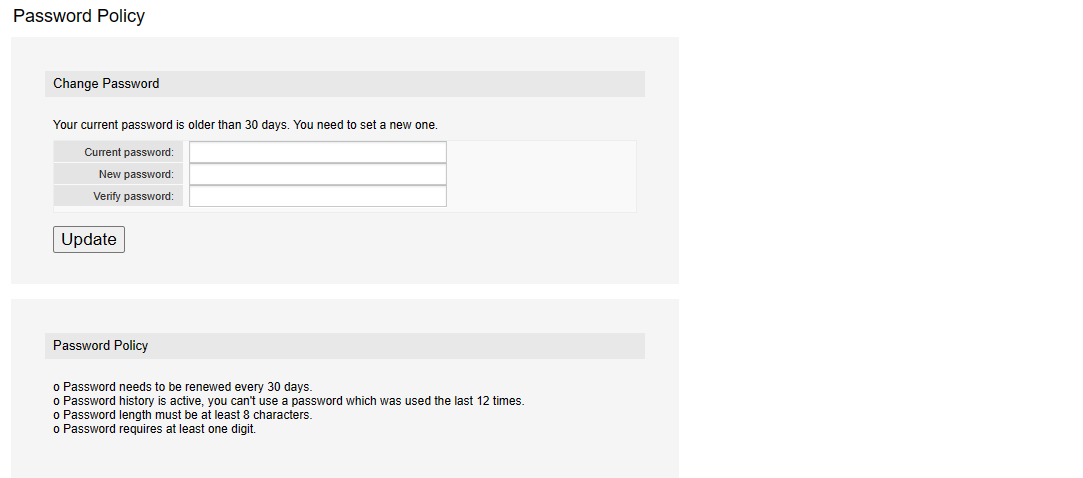
Note: This is only for local users! If you use a directory server for authentication or single sign-on, this package will not allow you to change your password.
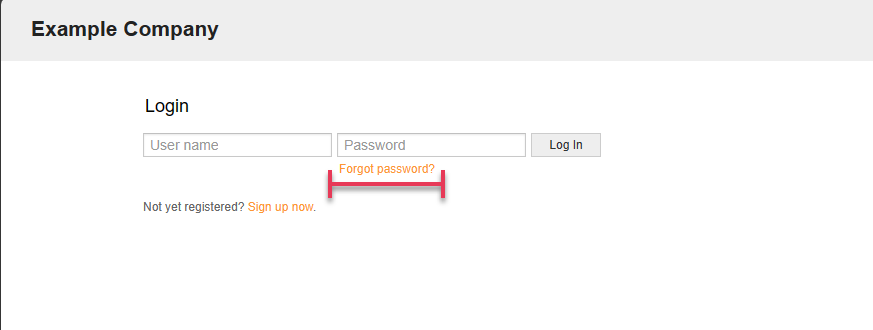
Tip: When adding new users and customer users, we recommend using the lost password option. This means when you create the accounts, leave the password empty. Your users can then use the lost/forgotten password option to reset their password. You must not meet the password policy during user creation as an administrator.
Have fun securing your local users with Znuny-PasswordPolicy.