

Every Notification Event in Znuny — ticket created, escalation warning, out-of-office reminder, all of them — renders its own HTML body. Admins who want a different look almost always end up editing each Notification Event individually, one HTML block at a time. There's a setting that skips that entirely: it swaps the wrapper around every notification e-mail at once.
Meet NotificationEmailDefaultTemplate
The Setting
Search for the setting
NotificationEmailDefaultTemplate

The value is just a filename (without .tt) from Kernel/Output/HTML/Templates/Standard/NotificationEvent/Email/. Znuny ships three out of the box:
Default — the standard Znuny-branded HTML wrapper used today.
Alert — wraps every notification in a bold red banner reading "ALERT — [subject]". Built for a small number of high-urgency notifications, not a sensible choice as the global default — but it shows how far a single setting reaches.
Unformatted — strips styling entirely: subject, body, and (unless Secure::DisableBanner is set) the "Powered by" line, nothing else. No colors, no branding, no box model. Useful for compliance-sensitive organizations that need plain rendering, or for mail clients/gateways that mangle styled HTML.
Changing it
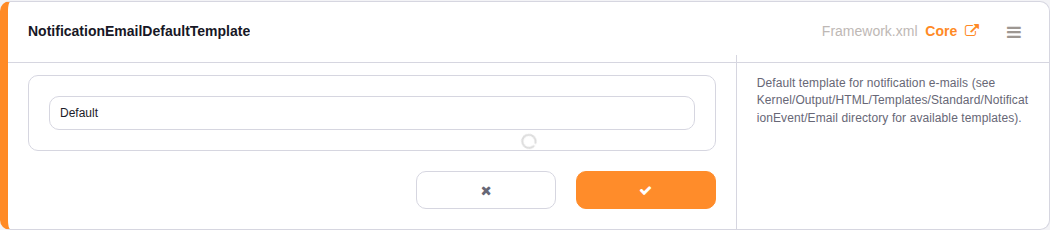
Click the value to edit it inline, same as any other setting:
Type the template's base filename exactly (Default, Alert, or Unformatted) and save — every Notification Event's email now renders through that wrapper, without opening a single Notification Event for editing.
Bring your own template
The setting isn't limited to the three that ship in core. Drop a new .tt file into the same NotificationEvent/Email directory — say, one with your own branding — and reference its filename here to make it the default for every notification at once.
There are two import placeholder to use in your own template:
- [% Data.Subject | html %]
- [% Data.Body | html %]
Setting: NotificationEmailDefaultTemplate Where: Admin → System Configuration → Core Takes effect: immediately on save, no restart required
- Blogpost