Productivity

Microsoft SharePoint Connector

An "Attach from SharePoint" button appears on every form with a file upload field — compose, note, phone call, process activities, and more. Agents browse or search the library and attach files straight into the ticket. No desktop round-trip.

Features

Search for and attach any file directly from SharePoint to the article in Znuny.
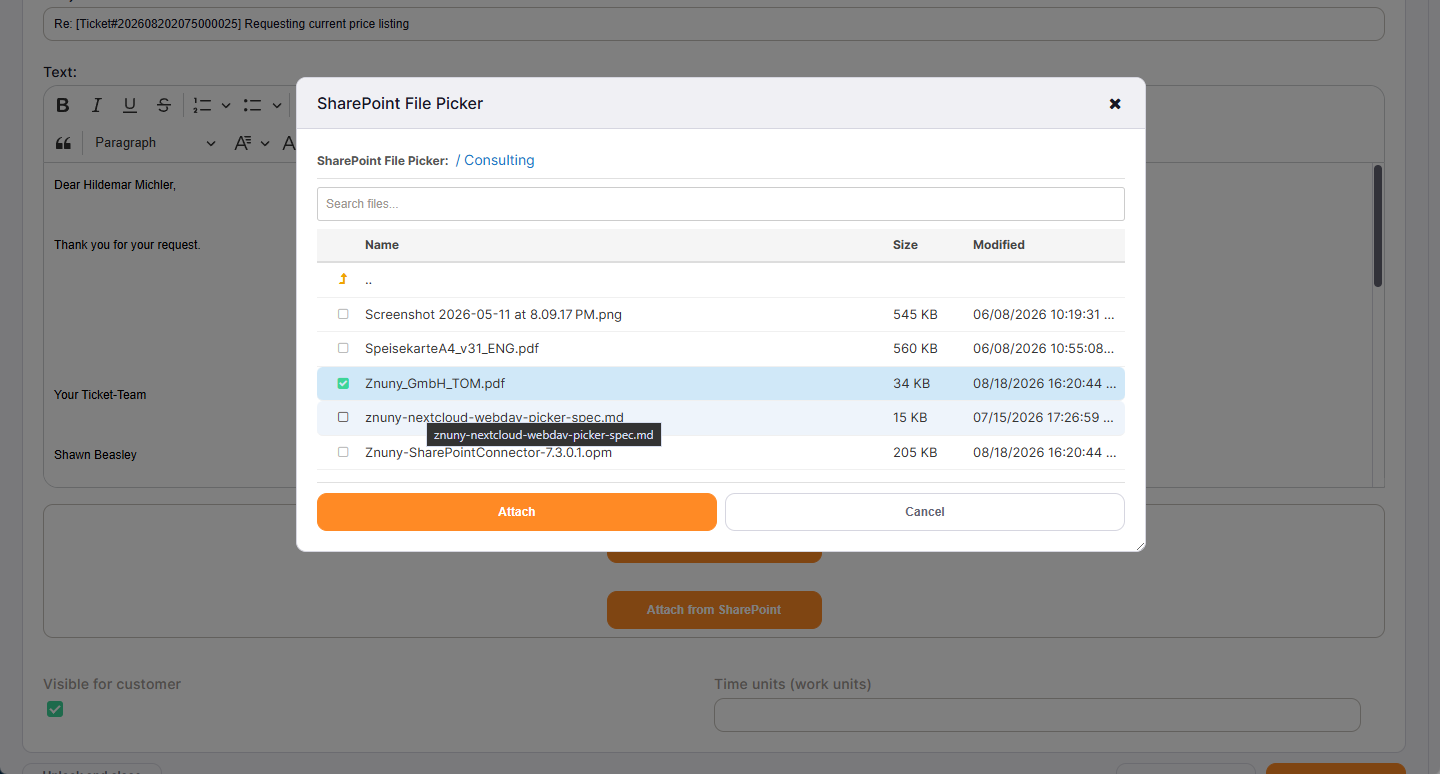
Attach From Modal
Attach from SharePoint

Upload attachments directly to SharePoint — individually or all at once.
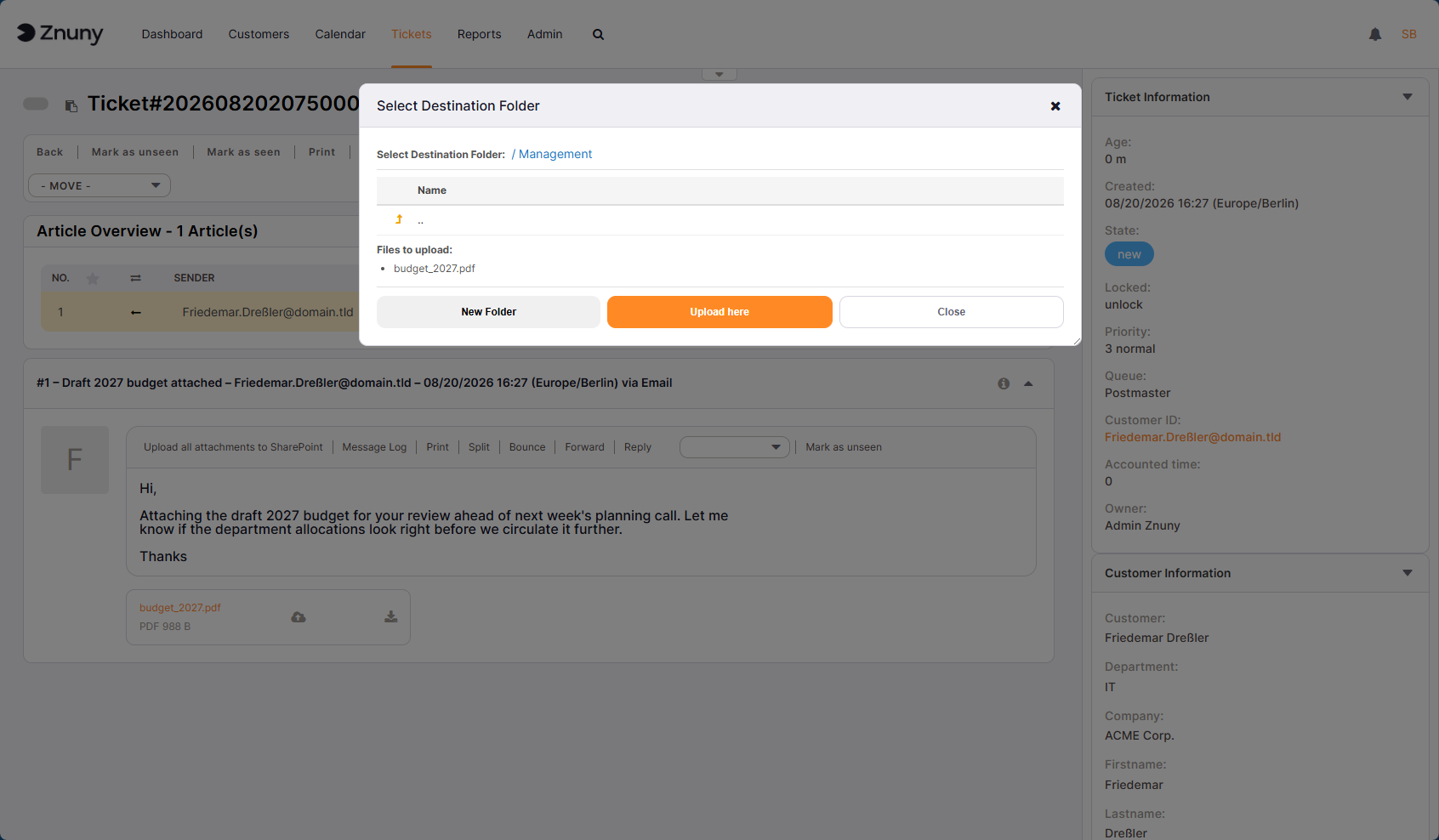
Upload to SharePoint Modal
Upload to SharePoint
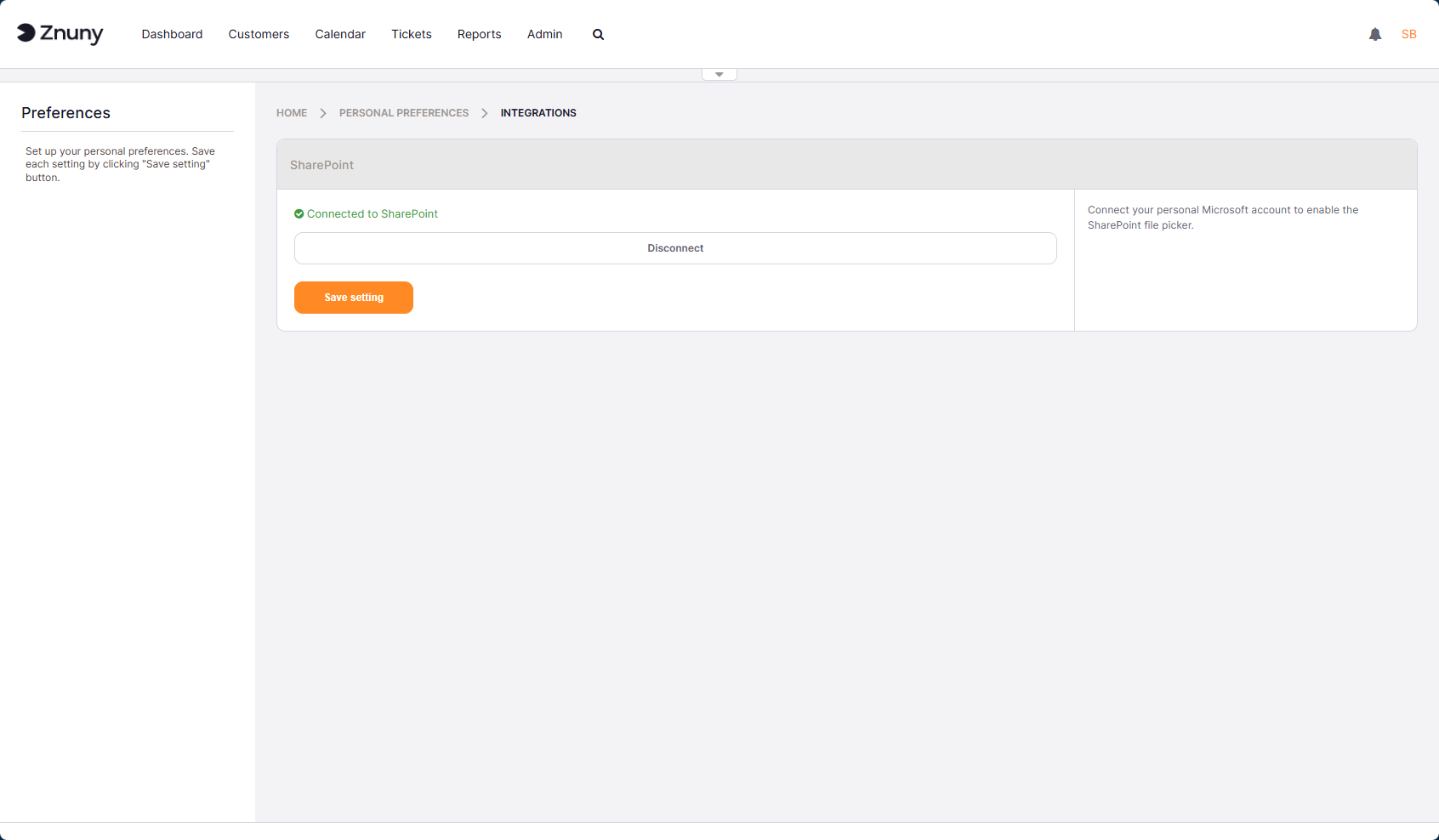
Personal SharePoint Preferences
Personal Preferences

Each user connects with their own credentials, ensuring that user permissions remain exactly as defined in SharePoint.
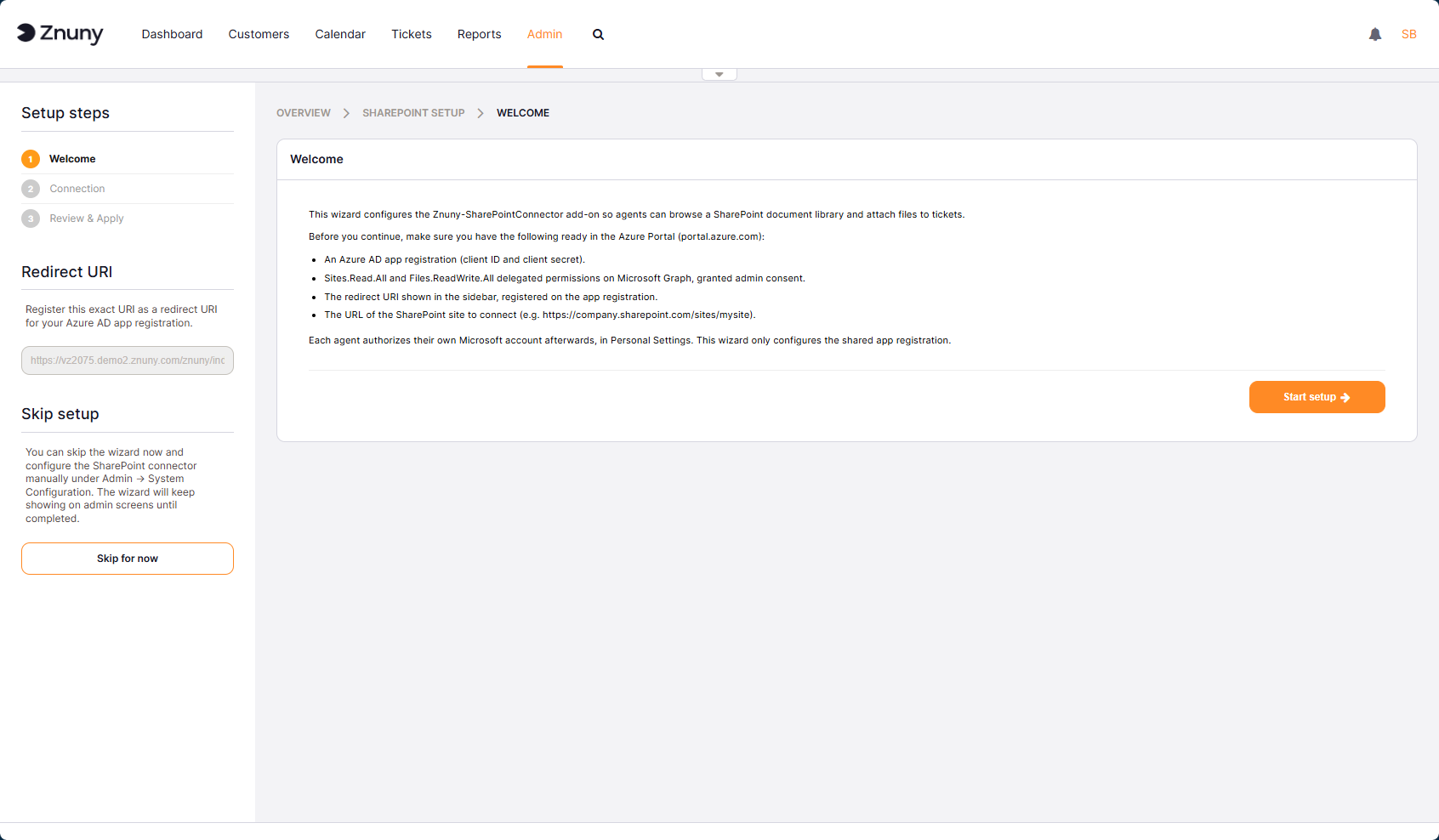
Setup Wizard
Setup Wizard

Setup is a breeze. The setup wizard guides you step by step through the process and takes care of all the needed configuration for you.

Additional group and security options let administrators restrict SharePoint uploads to specific user groups.
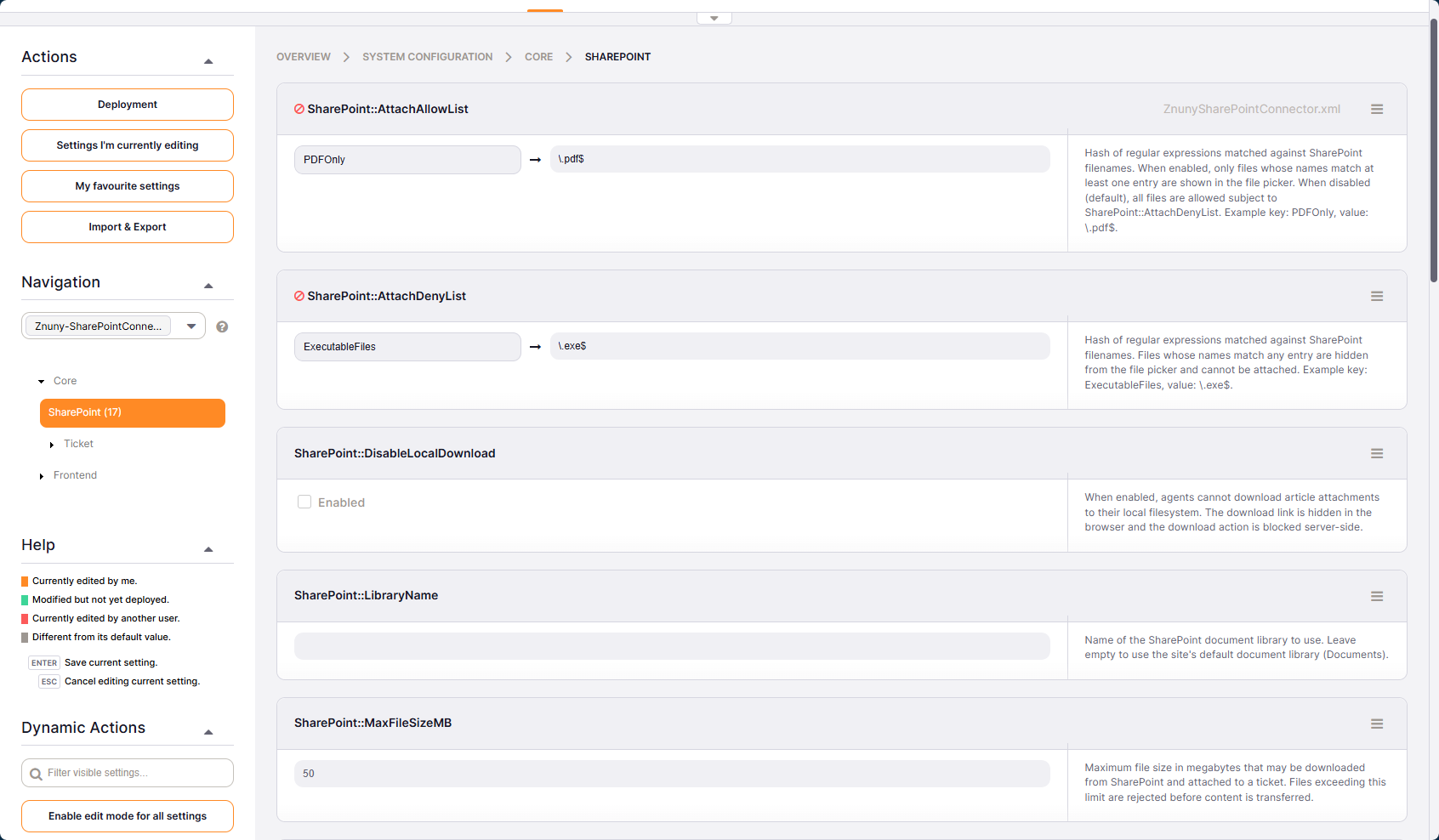
SharePoint Settings
Group & Security Settings

Keep all your downloads on SharePoint by preventing users from downloading directly to their local disk.
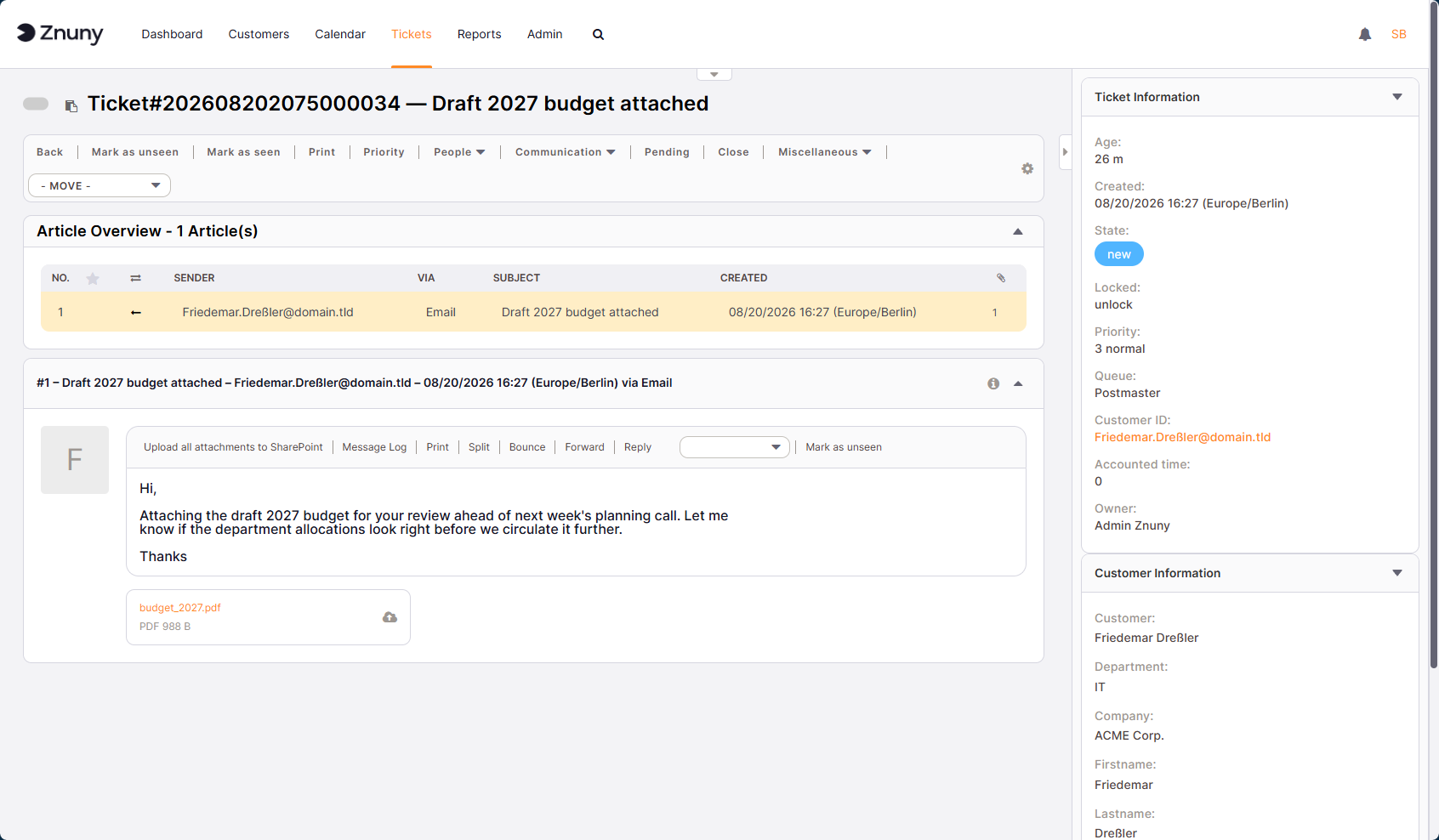
Upload-Only Mode
Upload-Only Mode

Sign Up For Our Newsletter

Stay ahead with expert tips, updates, and insights on service management and Znuny—straight to your inbox!

We use rapidmail to send our newsletter. When you subscribe, you consent to the entered data being forwarded to rapidmail. Please also see the GTC and data privacy statement.